Difference between revisions of "WordPress database"
From Wiki @ Karl Jones dot com
Karl Jones (Talk | contribs) |
Karl Jones (Talk | contribs) (→phpMyAdmin and MAMP) |
||
| Line 15: | Line 15: | ||
[[MAMP]] is a popular [[LAMP (software)]] stack. | [[MAMP]] is a popular [[LAMP (software)]] stack. | ||
| − | Browse the phpMyAdmin link in Localhost: | + | Browse the phpMyAdmin link in Localhost. Follow the ''phpMyAdmin'' link: |
http://karljones.com/karljones.com/images/wiki/mamp-page.png | http://karljones.com/karljones.com/images/wiki/mamp-page.png | ||
| − | |||
== External links == | == External links == | ||
Revision as of 13:14, 18 October 2015
WordPress uses a MySQL database to store information such as blog posts and page content.
Contents
Using phpMyAdmin
phpMyAdmin is a browser-based tool for working with MySQL databases.
phpMyAdmin and WordPress
To install WordPress, you must first create a database.
You can do this using phpMyAdmin.
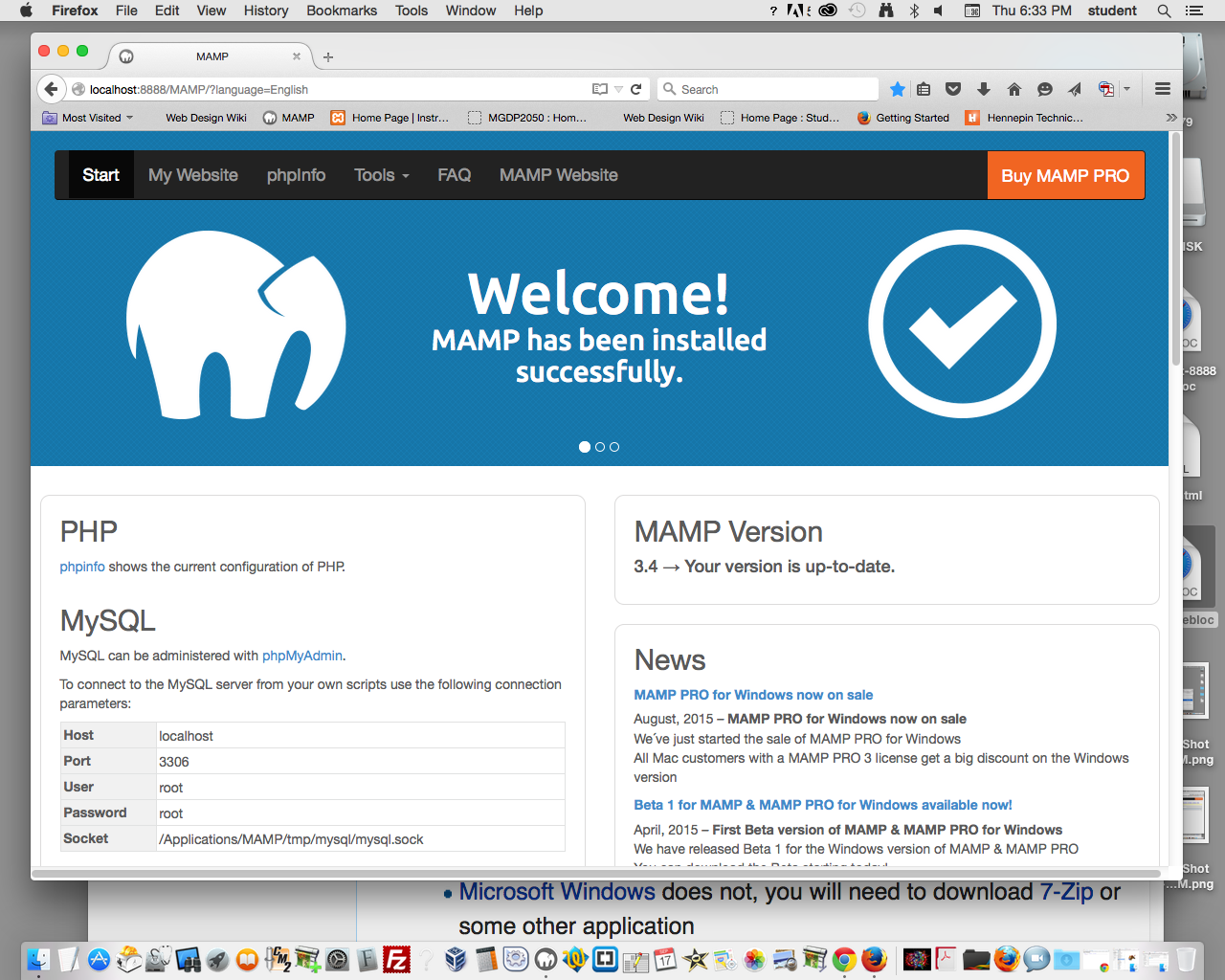
phpMyAdmin and MAMP
MAMP is a popular LAMP (software) stack.
Browse the phpMyAdmin link in Localhost. Follow the phpMyAdmin link:
External links
WordPress and phpMyAdmin
These links relate to phpMyAdmin, a browser-based tool for working with MySQL databases.
